Commands & Aliases
Every command an agent can run comes from a plugin loaded on the server. This page is the catalogue of them, and the place to save your own shorthands.
Commands
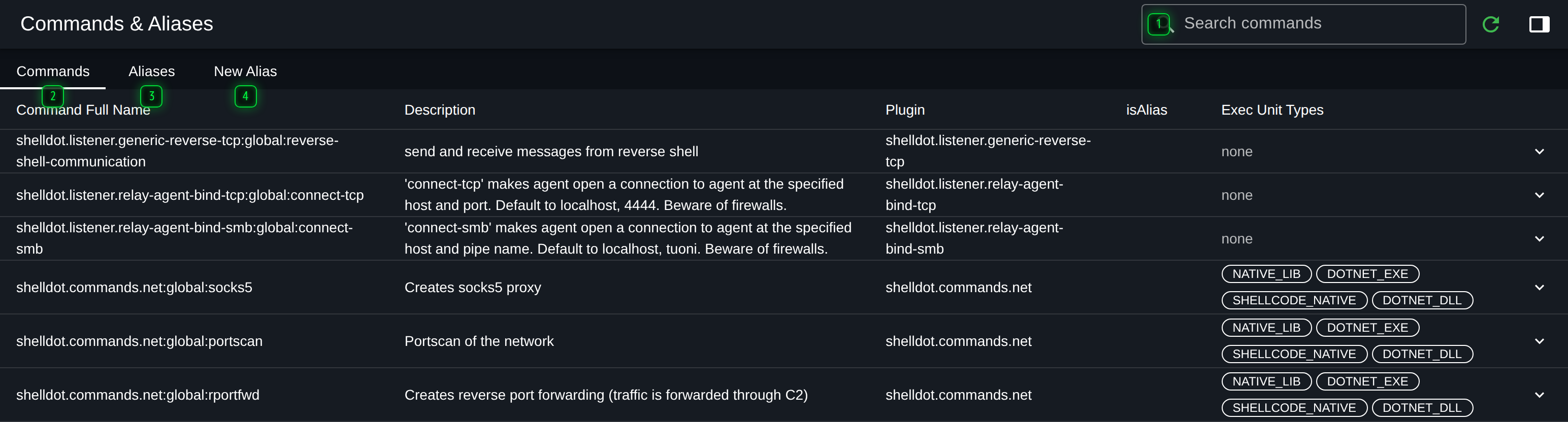
- Search - filters commands by name, description or plugin
- Commands - every command template this server can send, from every loaded plugin
- Aliases - the ones you have saved with their configuration already filled in
- New Alias - the form that creates one
Expanding a row shows the command's parameters: their names, types, which are required, and what each one is for. These are the same fields the console asks for when you type the command, generated from the same definition on the server, so the catalogue cannot describe a command differently from the way it actually behaves.
Two columns are worth knowing:
- Plugin - which plugin provides the command. If a command is missing, the plugin is not loaded; see Plugins.
- Execution unit types - how the command can be run. Not every agent supports every type, which is why a command can be in this list and still be refused by a particular agent.
The catalogue is the fastest way to answer "what can I do to this host", and the search matches
descriptions as well as names, so screenshot and capture both find the same command.
Aliases
An alias is a command saved with some of its configuration already filled in, under a name you
choose. psx can mean a specific process listing with the arguments your team always uses,
and it appears in the console's completion and inline help exactly like a built-in command.
Aliases are stored on the server, not in your browser, so they are shared by everyone working on that server.
The Aliases tab lists them with their base command and the values they pin, and the row actions edit or delete them.
Creating one
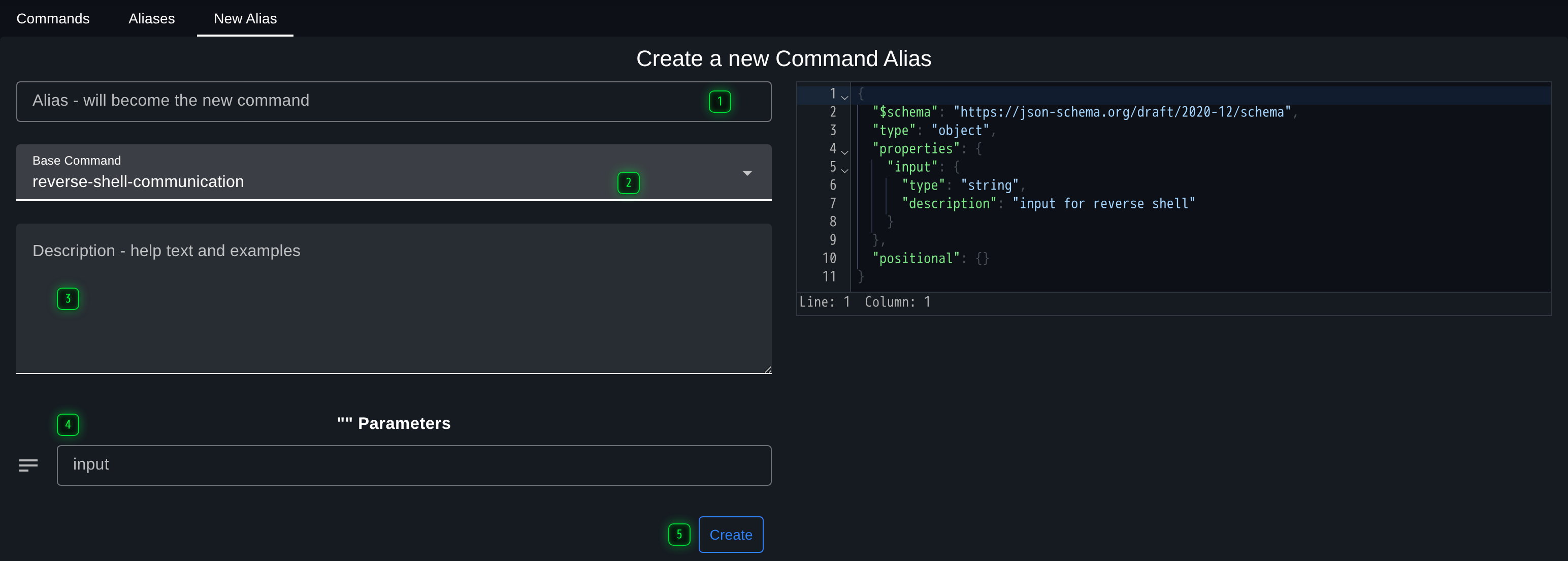
- Alias - what operators will type in the console to run it
- Base command - the command this alias wraps
- Description - the help text the console shows when the alias is tab-completed
- Configuration - the values to fix. Anything set here is applied automatically; anything left blank is still asked for at the prompt
- Create - saves the alias, available in every console on this server at once
The Description is worth writing: it is what the next operator sees when they tab-complete your alias. The schema panel on the right shows exactly what the alias will send, which is the quickest way to check that a fixed value landed where you meant it to.