Agent Terminal
Double-clicking an agent on the Agents page opens its console. This is where commands are sent and where their results come back.
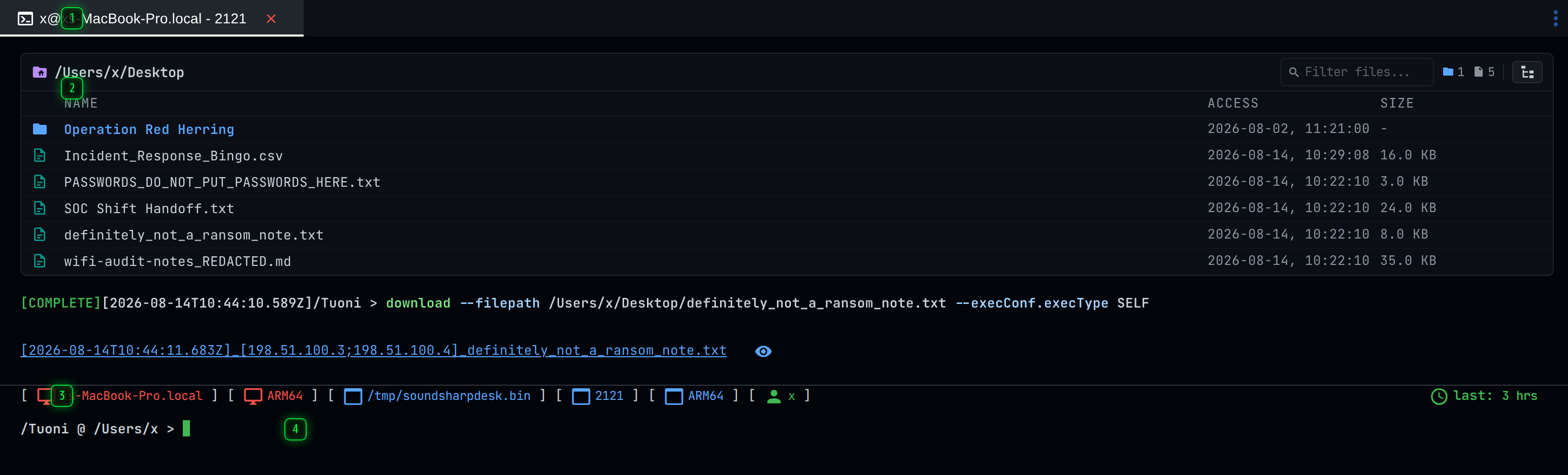
- Tabs - one tab per open console, file browser or process list. They survive leaving the page and coming back
- Scrollback - every command sent to this agent and everything it answered, read back from the server rather than kept in this browser
- Agent - the host, architecture, process, PID and user this console is talking to, and when it last checked in
- Command line - type a command here. Tab completes, Up and Down walk the history, Ctrl+C clears the line
The scrollback belongs to the agent, not to the browser
Everything above the command line is read back from the server. It is the record of what has been sent to this agent and what it answered, by anybody, from any client - so a colleague's commands appear in your console, and your own survive a reload, a different browser, or a different machine.
Long histories are loaded in a window rather than all at once. A strip at the top of the scrollback says how much of the history is currently shown, and offers to load the rest; scrolling up loads more of what has already been fetched.
Commands sent by another operator, or from the API or a script, appear here as they complete.
Sending a command
Type it and press Enter. While you type, the client matches what you have against the commands this agent supports and shows the help for the best match, including its syntax and its parameters.
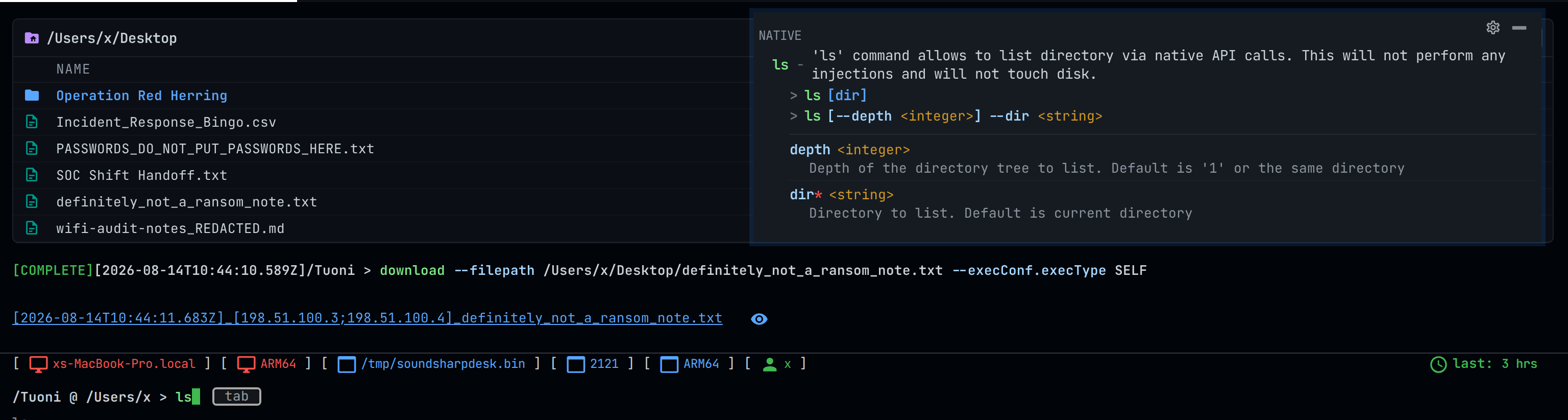
The help is built from the command's own definition on the server, which is the same definition the Commands page lists, so it is never out of date with the plugin that provides the command.
Two things worth knowing:
- Tab completes the command, the argument name, or the value - including file names for arguments that take a file.
- Parameters marked with
*are required. The command will not be accepted without them.
Commands are queued for the agent, not run instantly. An agent that sleeps for an hour receives what you typed at its next check-in, and the console shows the command as pending until it does.
Tabs
Consoles, file browsers and process lists all open as tabs above the pane. They are per agent and they persist: leaving the Agents page and coming back does not lose the tab, its scrollback position or what you had half-typed.
Ctrl+Alt+Left and Ctrl+Alt+Right move between tabs.
Local commands
A few commands are handled by the client and never reach the agent. settings opens the
settings dialog, spawn opens the launcher helper, and clear hides the scrollback in view
without deleting anything - the console says so, and offers to show it again.
For everything the keyboard does here, see Terminal Shortcuts.