Listeners
A listener is what agents call home to. Nothing else in Tuoni works until there is one: a payload is built for a listener, and an agent that cannot reach its listener is an agent you do not have.

- Search - filters by name, plugin or status
- Add listener - opens the new-listener dialog
- Refresh - re-reads the list from the server
- Listener row - click anywhere on it to open the configuration editor below
- Start or stop - stops a running listener, or starts a stopped one. Agents cannot call back while it is stopped
- Download - downloads an agent built for this listener
- Delete - removes the listener; agents that used it stop checking in
Adding one
Add listener asks for the type first, because everything else depends on it - an HTTP listener wants a port and a hostname, a DNS listener wants a domain, a relay listener wants the agent it relays through. See Listeners for what each type is for.
The name is yours. It appears in the agents table, in payload generation and in the graph, so name it after what it is for rather than after its plugin.
Started and stopped
The status chip is the whole state: Started means agents can reach it, Stopped means they cannot. Stopping a listener does not remove the agents that arrived through it, and it does not tell them anything - they simply fail to check in until it is started again.
Deleting a listener is different, and permanent for the agents that use it.
Editing the configuration
Clicking a row opens its configuration in place.
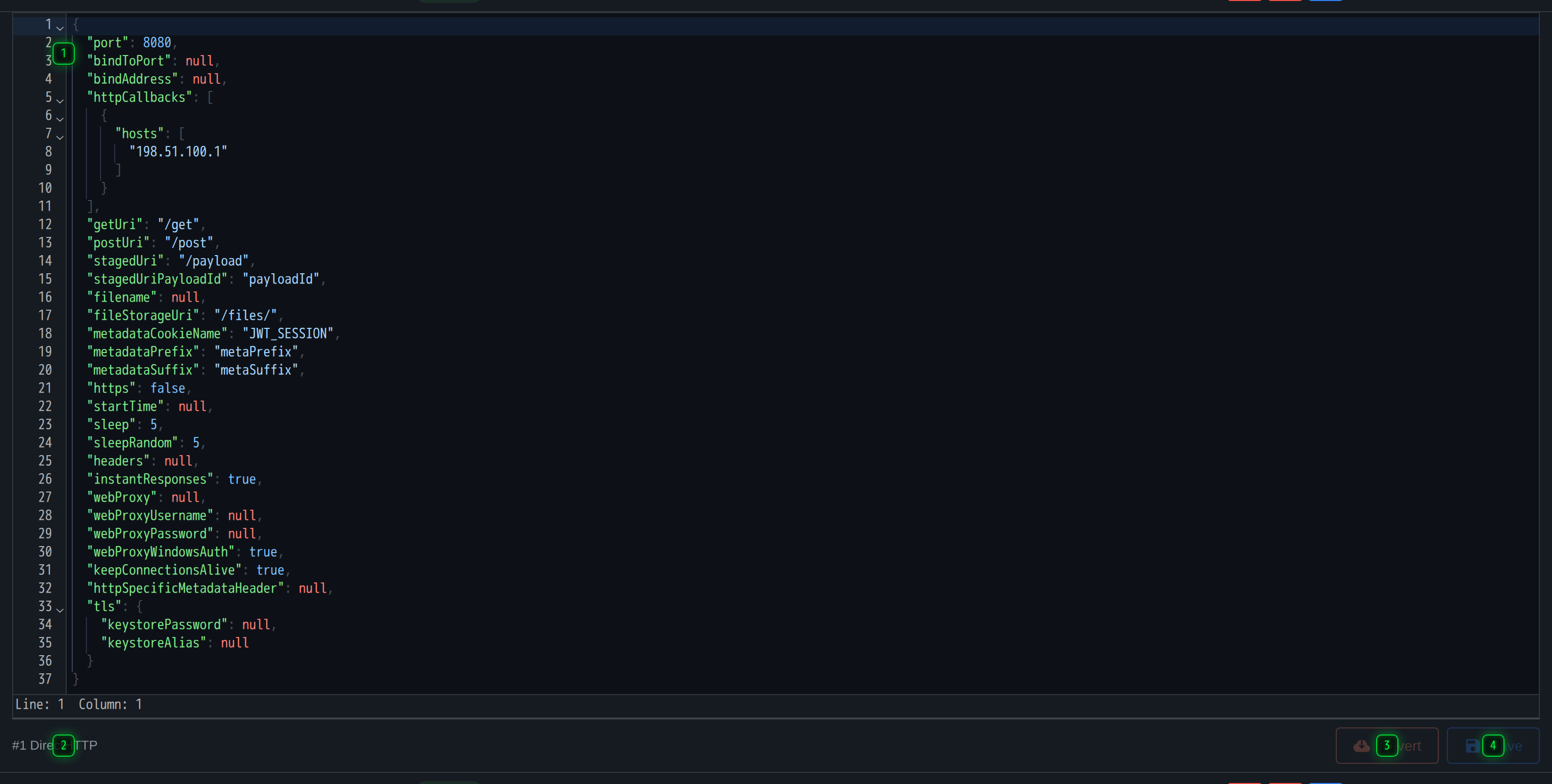
- Configuration - the listener's live configuration, as JSON
- Which listener - the row this editor is writing to, which matters with several rows open
- Revert - throws away unsaved edits
- Save - writes the configuration back to the server
It is the listener's live configuration as JSON, exactly as the server holds it. Ctrl+S saves, Revert throws away unsaved edits, and the strip at the bottom names the listener being written to - which matters when several rows are open at once.
Changing a running listener's configuration takes effect on the server. Payloads that were already built carry the address they were built with, so changing a port here does not move the agents that are already out there.
Downloading an agent for a listener
The download button on a row builds an agent for that listener with default settings, which is the quick path for a lab. For anything else, use Payloads, where the options are.