Settings And The Command Palette
Three ways to reach the client without hunting through menus: settings, the command palette, and the shortcut sheet. All three are keyboard-first.
Settings
Ctrl+, opens settings from anywhere, including from an agent console.
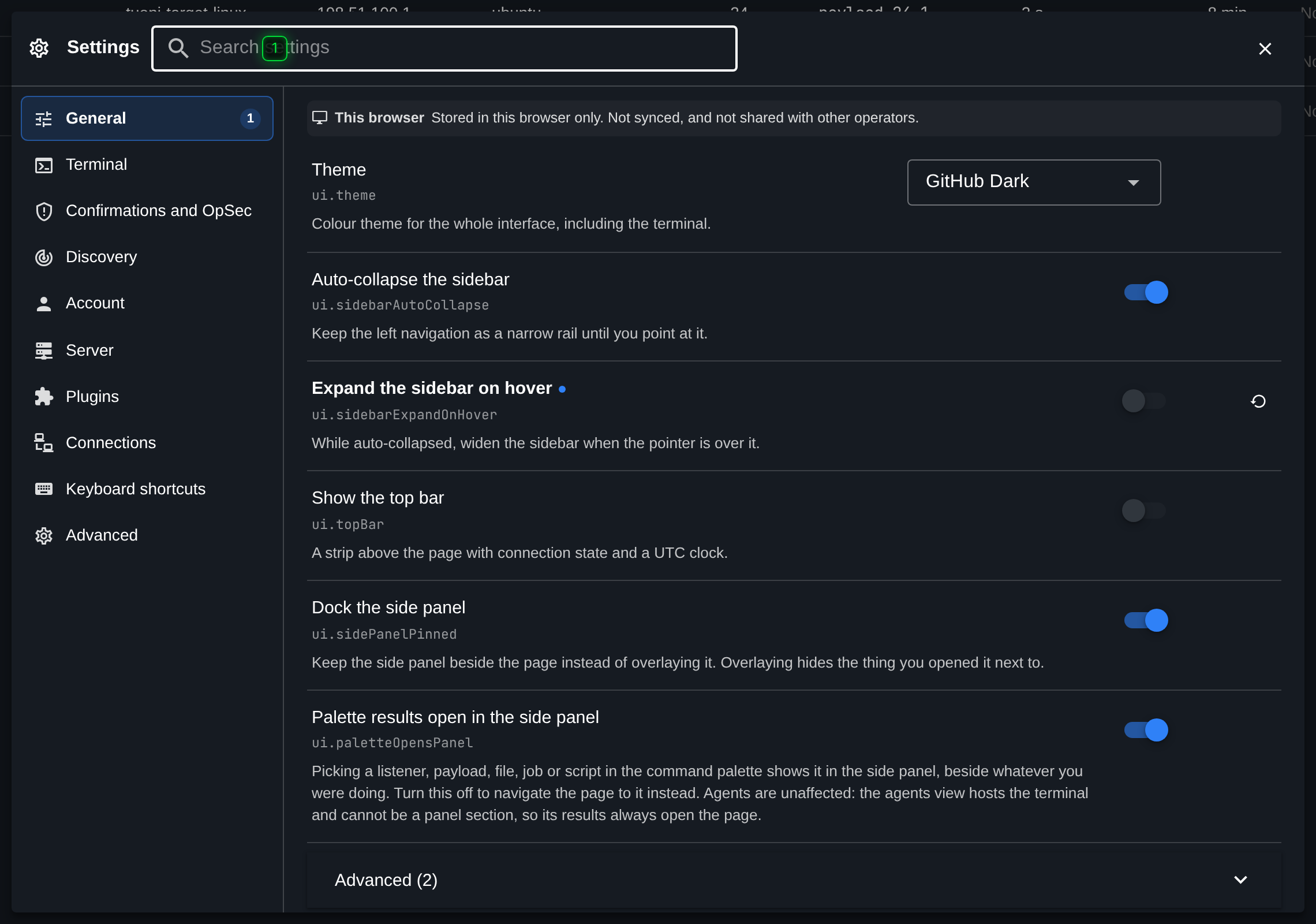
- Search - searches every setting by name, description and value, across all sections
Settings are grouped into sections down the left, but the search box is usually faster: it
matches the name, the description and the current value across every section at once, so
typing sleep or theme gets you there without knowing which section owns it.
Settings are per client and are remembered in the browser, not on the server. They cover the theme, how the navigation rail behaves, terminal behaviour such as whether Ctrl+F goes to the browser's find, notifications, and the table columns.
Typing settings in an agent console opens the same dialog.
The command palette
Ctrl+P or Ctrl+K opens the palette.
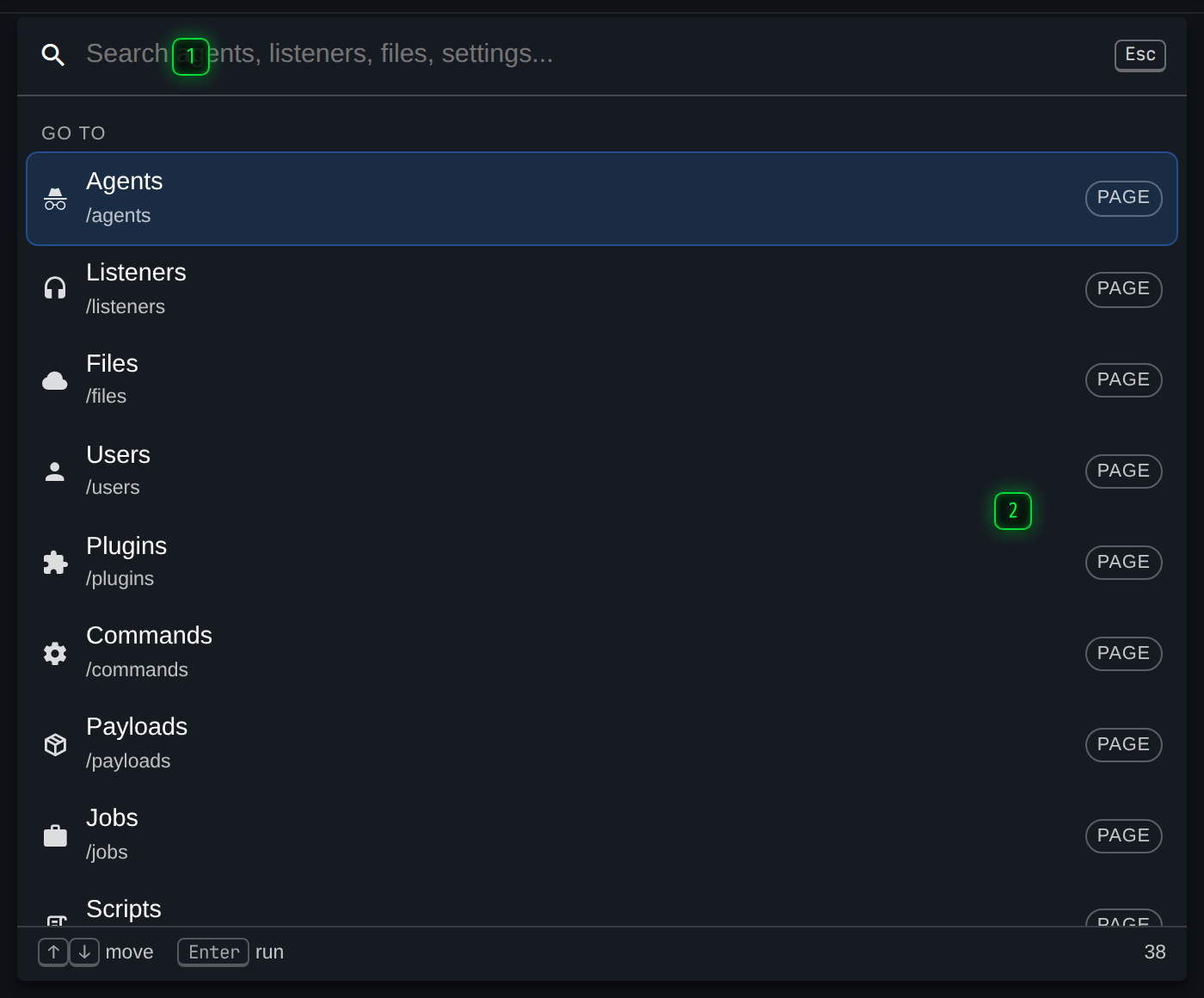
- Type to find - pages, settings, agents and actions, in one list. Enter runs the highlighted one
- Results - grouped by what they are. Some entries open a scope rather than acting, and Esc backs out of it
It searches four things in one list: pages, settings, agents, and actions such as "open the side panel here" or "switch theme". Enter runs the highlighted entry.
Some entries do not act; they narrow the palette to a scope, shown as a breadcrumb above the input. Esc backs out one scope at a time, and closes the palette from the top level.
Both chords exist because both are muscle memory somewhere: Ctrl+P for anyone who lives in an editor, Ctrl+K for anyone who lives in a chat or issue tracker. The client takes them from the browser deliberately.
The shortcut sheet
? shows every shortcut the client binds, in its current, generated-from-the-code form. It only fires when nothing is taking typed input, so it does not interfere with typing a question mark into a command.
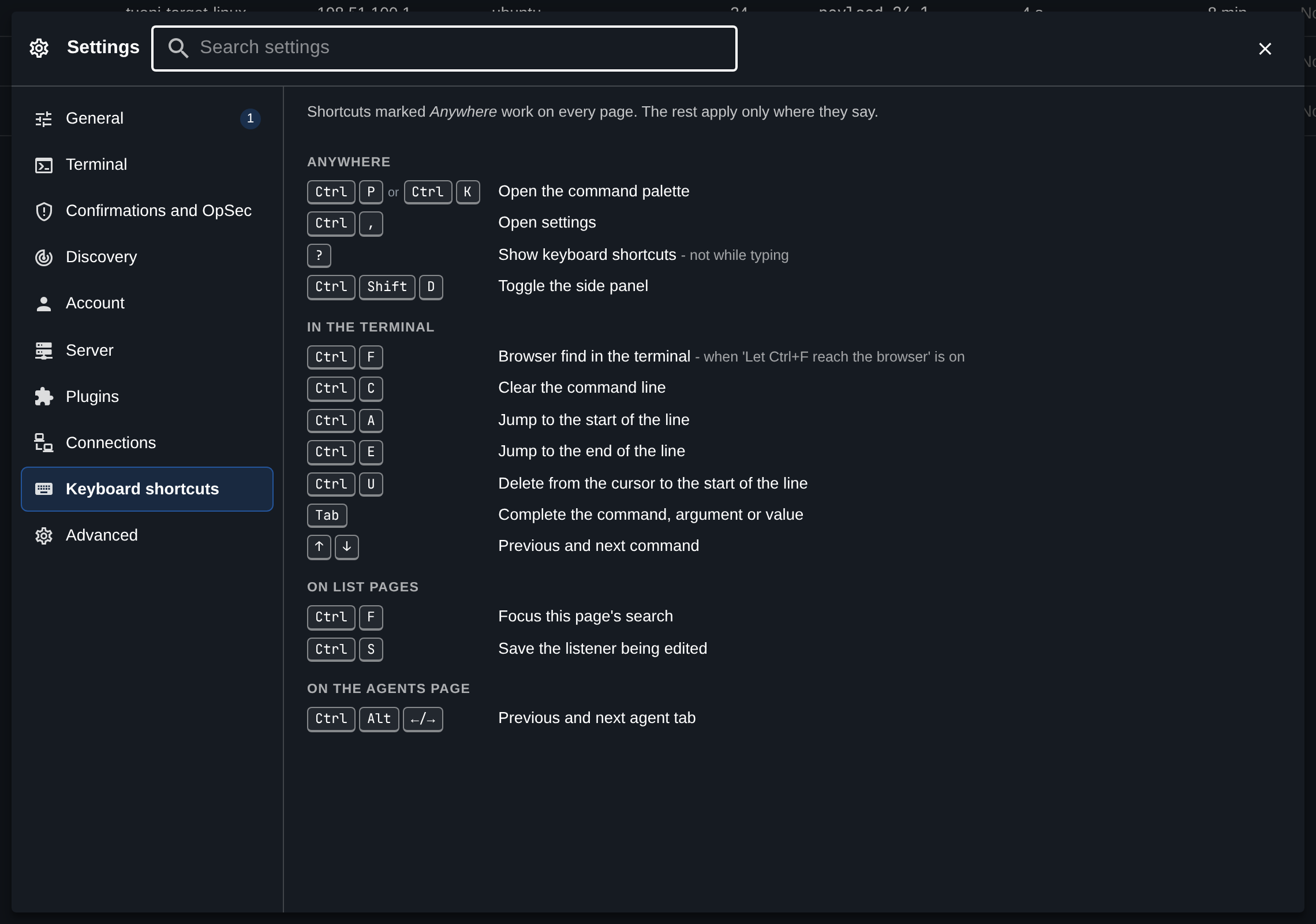
See Terminal Shortcuts for the same list in reference form.