Payloads
A payload is a built artefact, configured for one listener. The Payloads page lists everything this server has built and is the way to build more.

- Search - filters by name, template, listener or platform
- New payload - opens the generator
- Refresh - re-reads the list from the server
- Download - fetches the built binary
- Launcher - the one-line command that starts this payload on a host
- Hosting links - serves the payload over one of this server's HTTP listeners
- Clone - opens the generator on a copy of this payload's configuration
- Delete - removes the payload from the server
Builds are kept after they are made, so one can be downloaded again, hosted, cloned into a variant, or handed to a colleague by id without being rebuilt.
The generator
New payload opens a four-step flow: Listener, Payload, Configure, Deploy. A completed step stays clickable, so going back to change an earlier answer does not restart the flow.
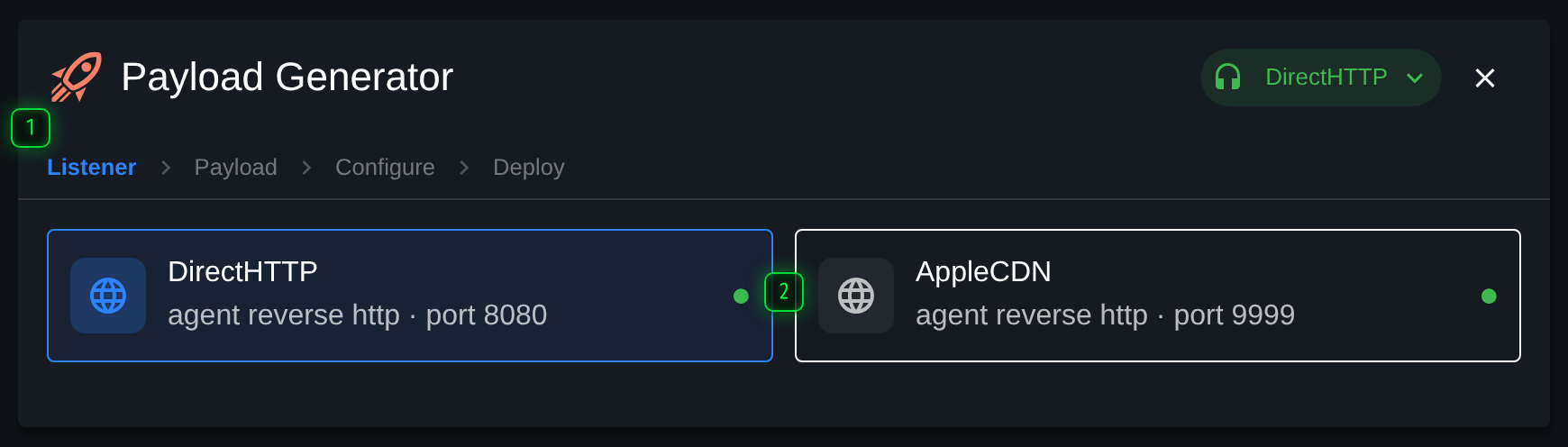
- Steps - Listener, Payload, Configure, Deploy. A completed step stays clickable, so you can go back
- Listener - which listener the payload will call back to. Everything after this is filtered by what that listener supports
Listener
Which listener the agent will call back to. This comes first because it decides the rest: the templates offered next are the ones that can talk to that listener, on the platforms it supports.
Payload
The template, and then the output type - executable, debug executable, service, DLL or shellcode, depending on what the template can produce.
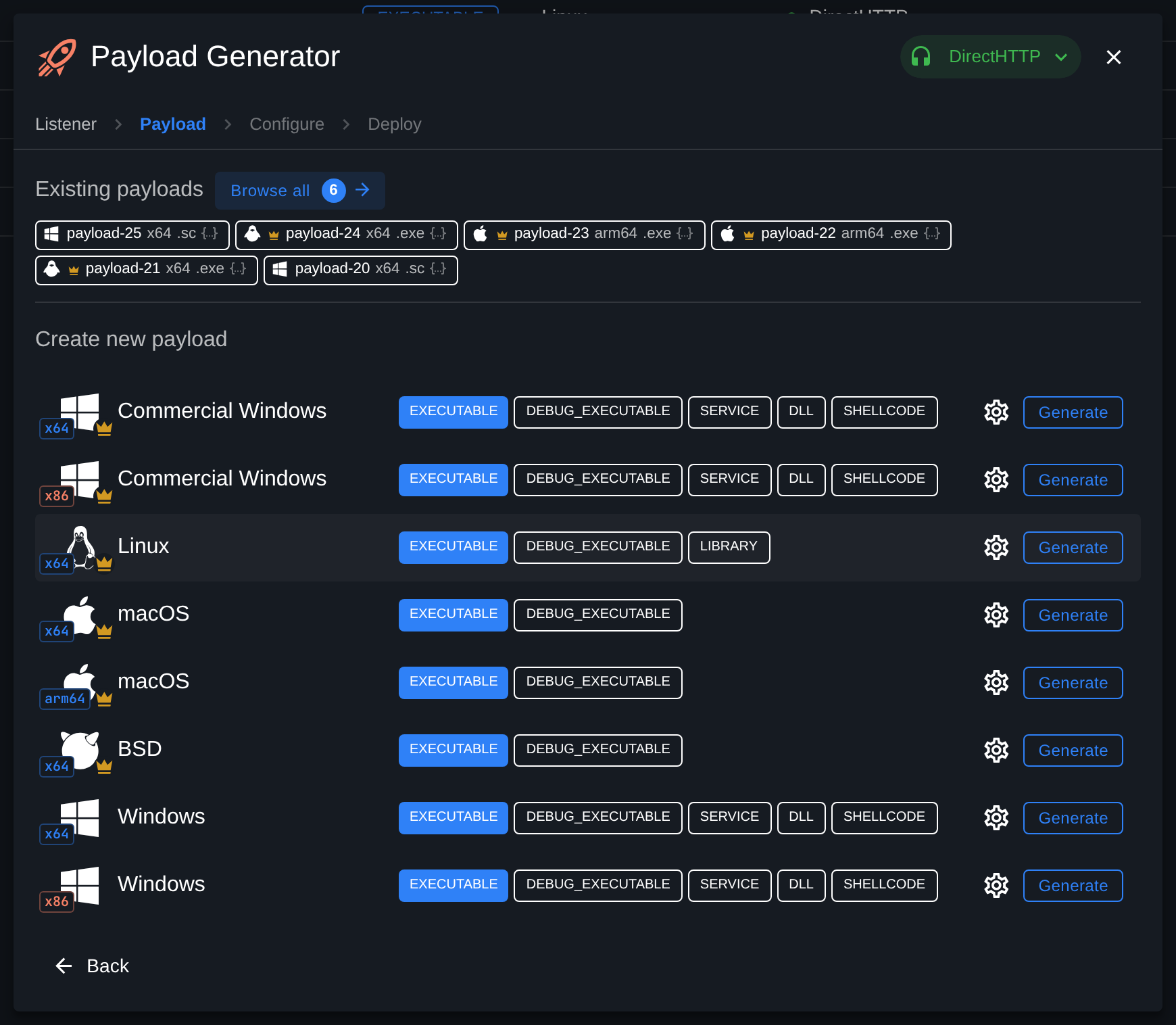
Debug executables report what they are doing to the console. They are a lab aid.
Configure
The template's own options, as a form or as JSON. What appears here depends entirely on the template, and typically covers check-in timing, guardrails, and for Windows templates the execution options, signing and version metadata.
Guardrails are worth setting deliberately. They are what keeps an agent from running anywhere except the environment the engagement covers.
Deploy
The finished build, with everything needed to get it where it is going: the file to download, a one-line command to copy, and hosting links if it should be served over one of this server's HTTP listeners. New payload starts another one from here.
Launchers and hosting
Both are reachable from a row in the table as well as from the last step of the generator:
- Launcher - a one-line command, in the flavour you pick, that fetches or writes the artefact and starts it.
- Hosting links - registers it with an HTTP listener so it can be fetched over the network rather than copied by hand. The same file can be hosted at more than one path; see Files.
Cloning
Clone opens the generator on a copy of an existing configuration. It is the right way to produce the same thing for a second listener, or with one option changed, without re-entering a form somebody already got right.