Login
The client is a browser application that talks to one or more Tuoni servers. Nothing is stored in the client itself: the connect screen is where you tell it which server to talk to and who you are.
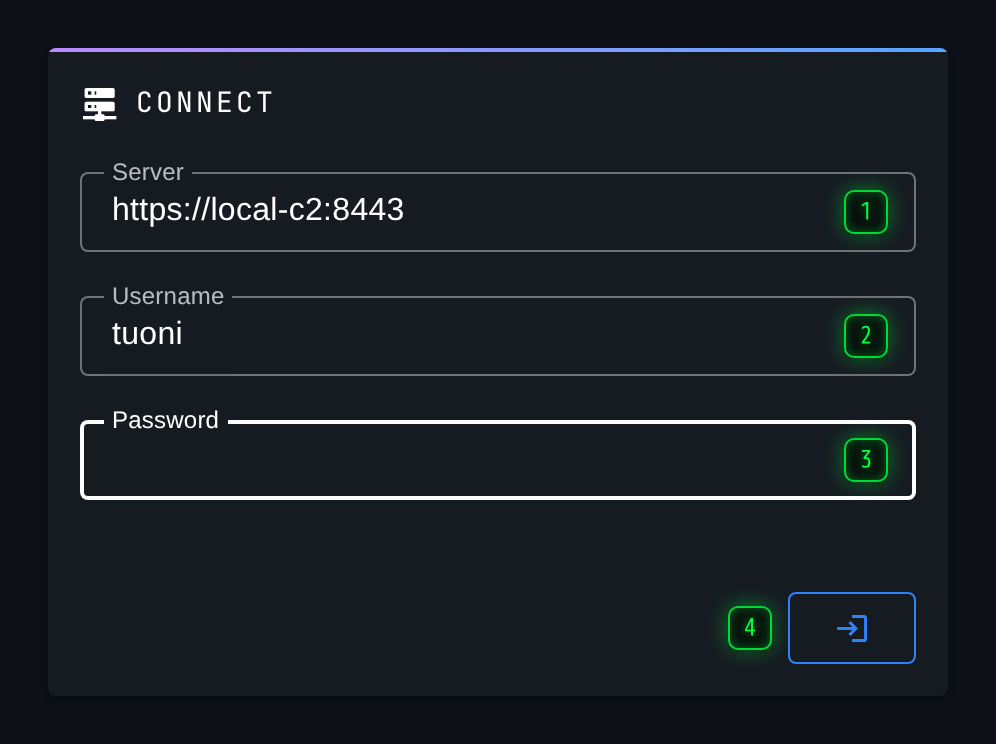
- Server - the Tuoni server URL, with the scheme and the port -
https://c2.example.com:8443 - Username - the operator account, as created on the Users page
- Password - that account's password
- Connect - authenticates and opens the Agents page
Select Connect to authenticate. On success the client opens the Agents page.
The server address
The Server field takes a full URL, including the scheme and the port:
The port matters. A Tuoni server listens on 8443 by default, and leaving it out will send the browser to 443, which is usually something else entirely.
The client reaches the server through its own backend, not directly from your browser, so the machine serving the client is the one that has to be able to reach the C2. If the client is running on your laptop and the server is on a jump host, it is the laptop that needs the route.
Accounts
Accounts are created on the server, on the Users page, by someone with the Manage Users permission. What an account may do in the GUI is decided entirely by the permissions on that page - a user without Send Commands still sees the agent list, and still cannot type into a console.
More than one server
The client can hold several connections at once. Once you are in, Add server in the navigation rail opens this same form again, and both servers appear in the rail with their own live connection state. See Menu.
When a connection drops
If the server stops answering, the client says so rather than quietly showing stale data. The connect screen returns in a reconnecting state, showing how many attempts it has made and how long it has been trying, with a Retry now button if you do not want to wait for the next attempt. Automatic reconnection and the disconnect notification can both be turned off per server, from this screen.